PLEASE NOTE:
This page is provided for historical information only. NetSniff (NetHound) is no longer available from the Company.
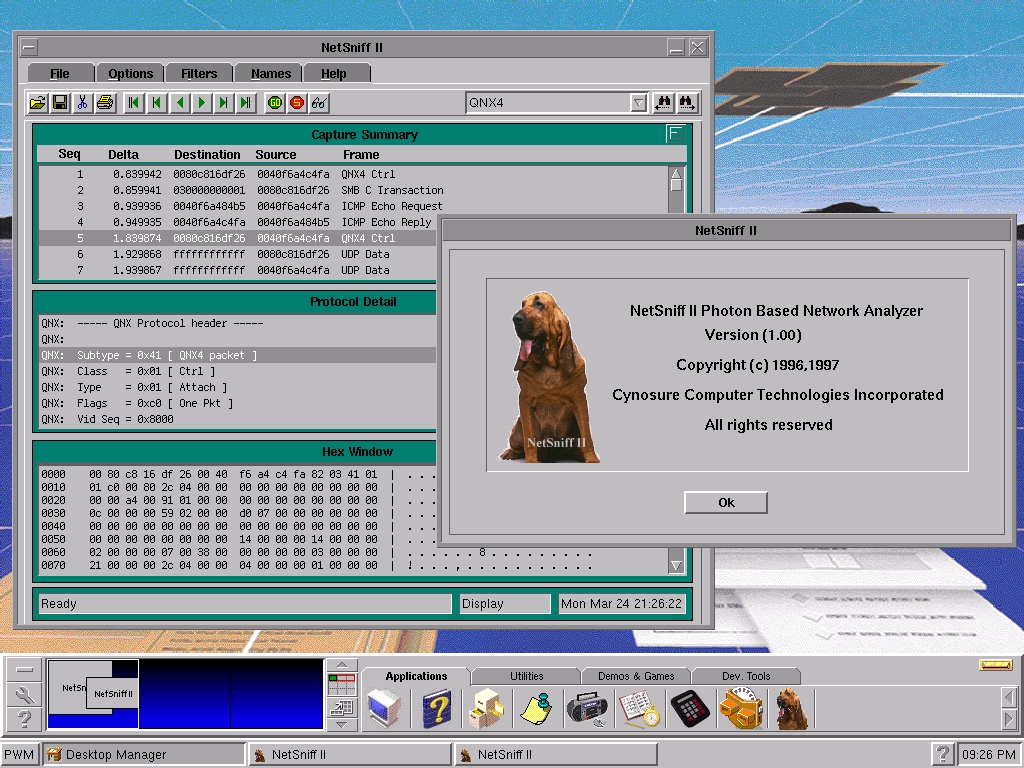
NetSniff II is a software based network analyzer
that provides system administrators a simple and cost effective
tool to help troubleshoot network configuration and hardware problems.
NetHound II is designed to run under the Photon Graphical User
Interface developed by QNX Software Systems Ltd.
NetSniff II can run on an existing QNX machine along
with other QNX applications. There is no need to dedicate a machine
for network analysis. It provides real-time capturing, decoding
and display.
Perform remote network diagnostics by making use
of phditto the graphical ditto application provided by Photon.
Fully integrated with the Photon Graphical User Interface
including HTML documentation.
Technical Specifications
Feature Summary
- runs along with other QNX applications
- provides multilevel protocol decoding on Ethernet networks
- capture packets based on protocol or address
- second level display filtering based on protocol
- assign symbolic names to Ethernet addresses
- filter on specific address or address pair with unidirectional and bidirectional links
- real-time statistics available during capture
- display packets as they are captured in real-time capture mode
- remote network diagnostics via phditto
- multiple windows for summary, detail and hexadecimal displays
Protocols
- QNX, LLC, IPX, SPX, NCP, NETBEUI, SMB, IP, TCP,
UDP, DECNET, SNA, ARP, TELNET, and ICMP.
Display
- summary level (one line per packet)
- detail level (multiple lines per packet)
- hexadecimal level (hex dump)
Filtering
- by protocol
- by address - source, destination, address pair (uni-directional
and bi-directional links)
- second level display filtering by protocol after
capture
Name Management
- link symbolic names (up to 10 characters) to Ethernet
addresses
- save and retrieve name tables to disk
Capture Options
- beep on packet receipt
- stop on capture buffer full
- real-time packet display
File I/O
- file save
- file retrieve
- file print